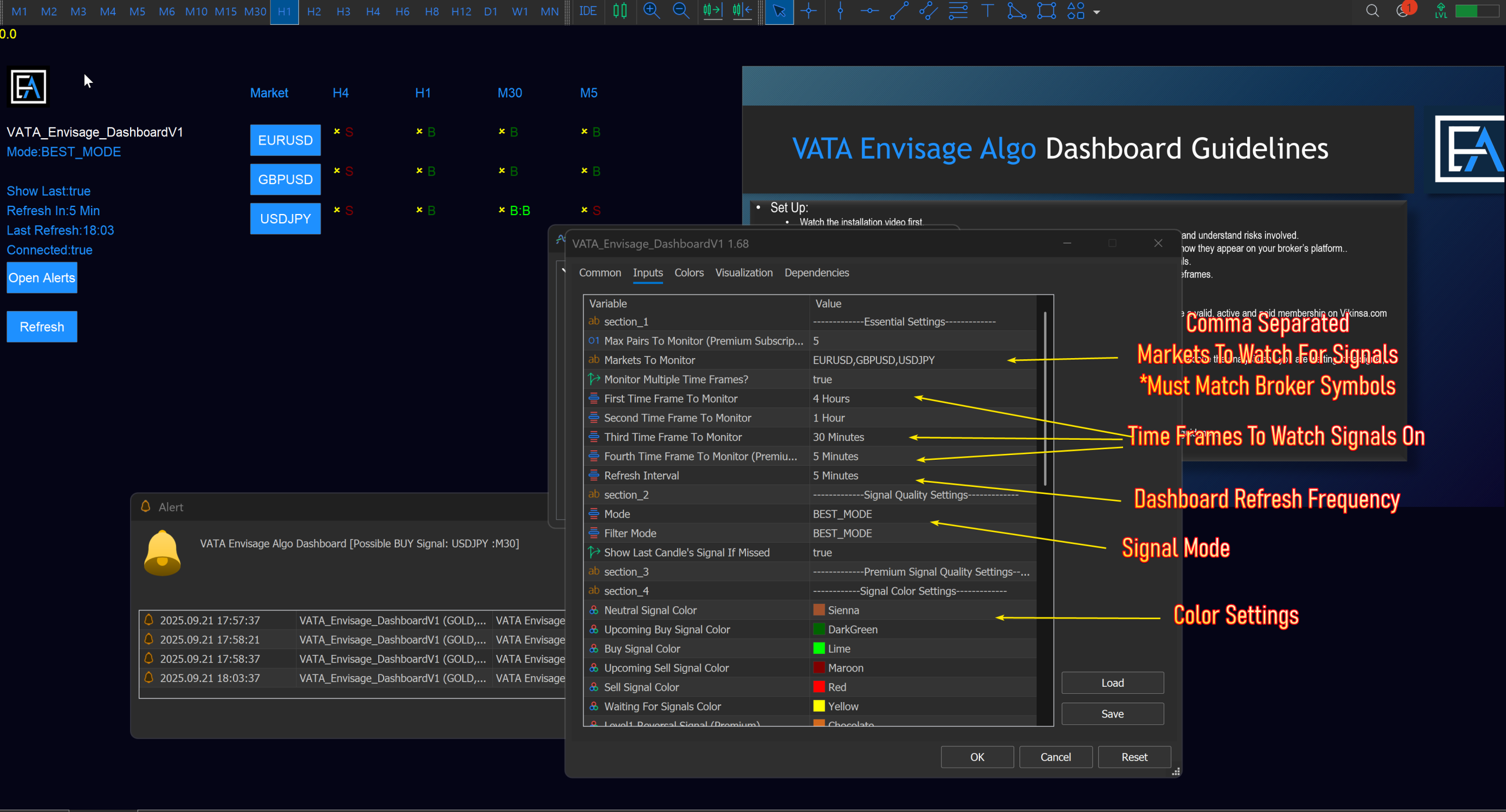
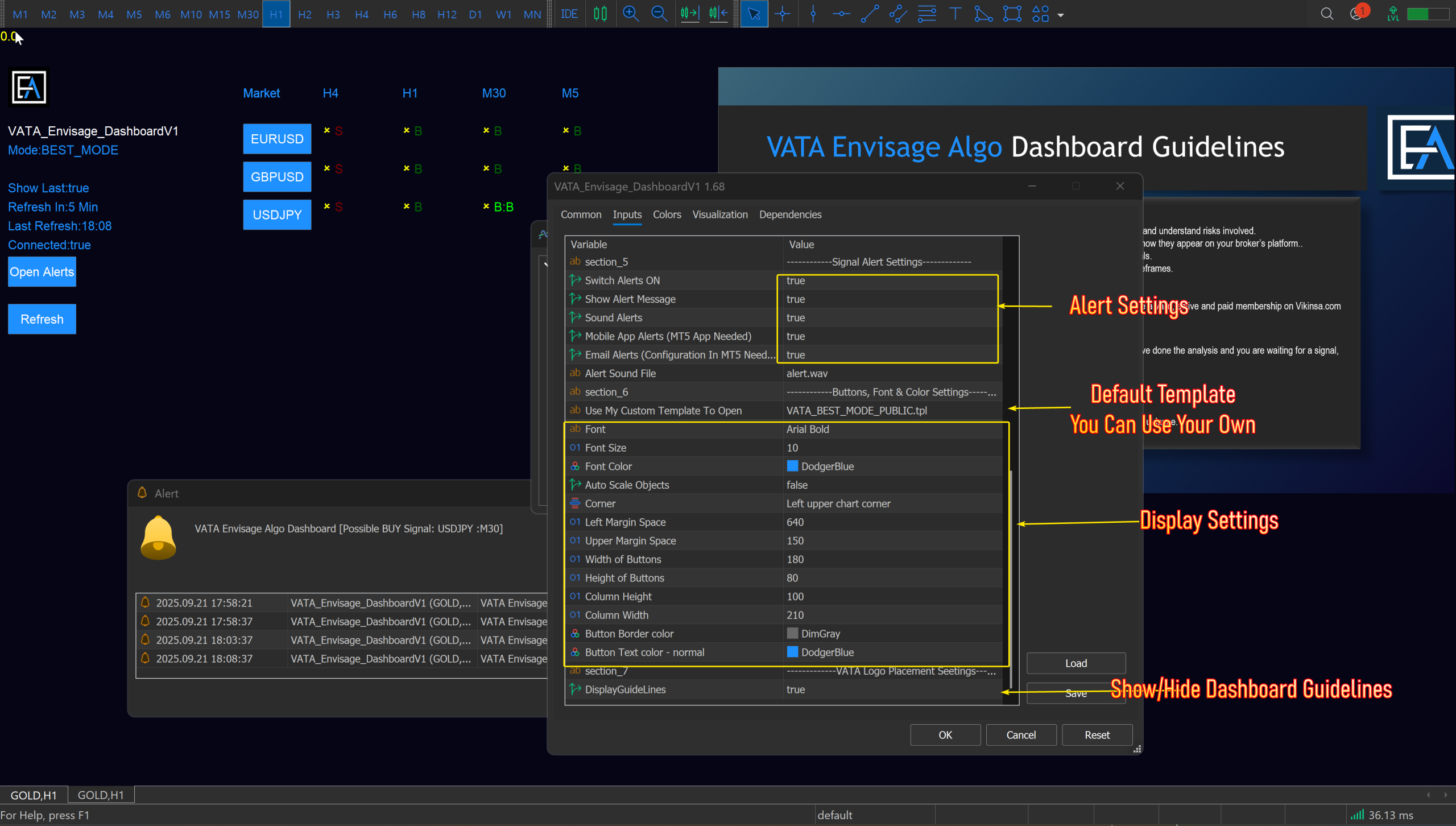
VATA Envisage Dashboard is one of the premium features which requires extra monthly premium subscription at a minimal fee. This is an important and effective tools to monitor multiple markets (Upto 5) and 4 Time Frames simultaneously and look for Buy/Sell signals. It uses advanced algorithm optimised by AI to detect and report Buy or Sell signals.
Traders do not have to manually open all the charts of their choice and timeframes to monitor for signals. Rather they can use Dashboard. Dashboard has capability of sending alerts on desktop screen, sound, email and mobile phones. Email and Mobile phone alerts require extra configuration. Search our FAQ for more details on that.
A few points to note:
- You can monitor max 5 markets at a time. However it can seriously slow down your computer. So try to limit your choices or use a more powerful computer.
- The market symbols must match with your broker. For example if you want to monitor US30 but your broker has listed that as “DowJones” or “DJI”, you must use exact symbol that your broker is giving you. Check that in the MT5 Market Watch.
- You can monitor max 4 time frames. You can use them individually or use signals to perform multi time frame analysis.
- Once you have configured your settings, you should right click on the chart and save a new template. This will save your settings so that you do not have to do them again.
- If you want your alerts to be sent to email or mobile phones, you will need a desktop/laptop where dashboard is running continuously without any issues. You can use VPS server. Here are details.
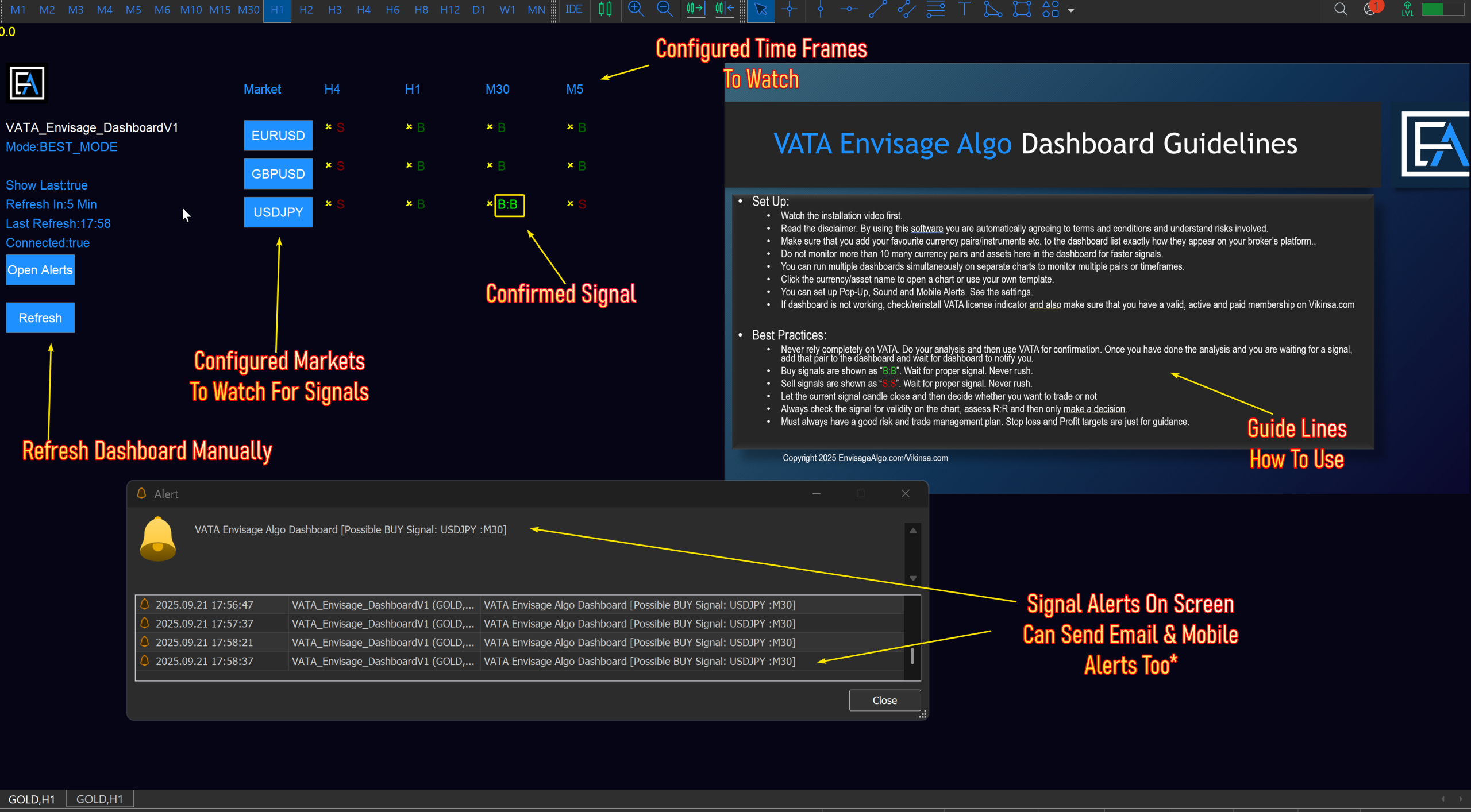
Below is the basic layout of VATA Envisage Algo Dashboard:
Here are the settings (click the image to enlarge)