Looking for help?
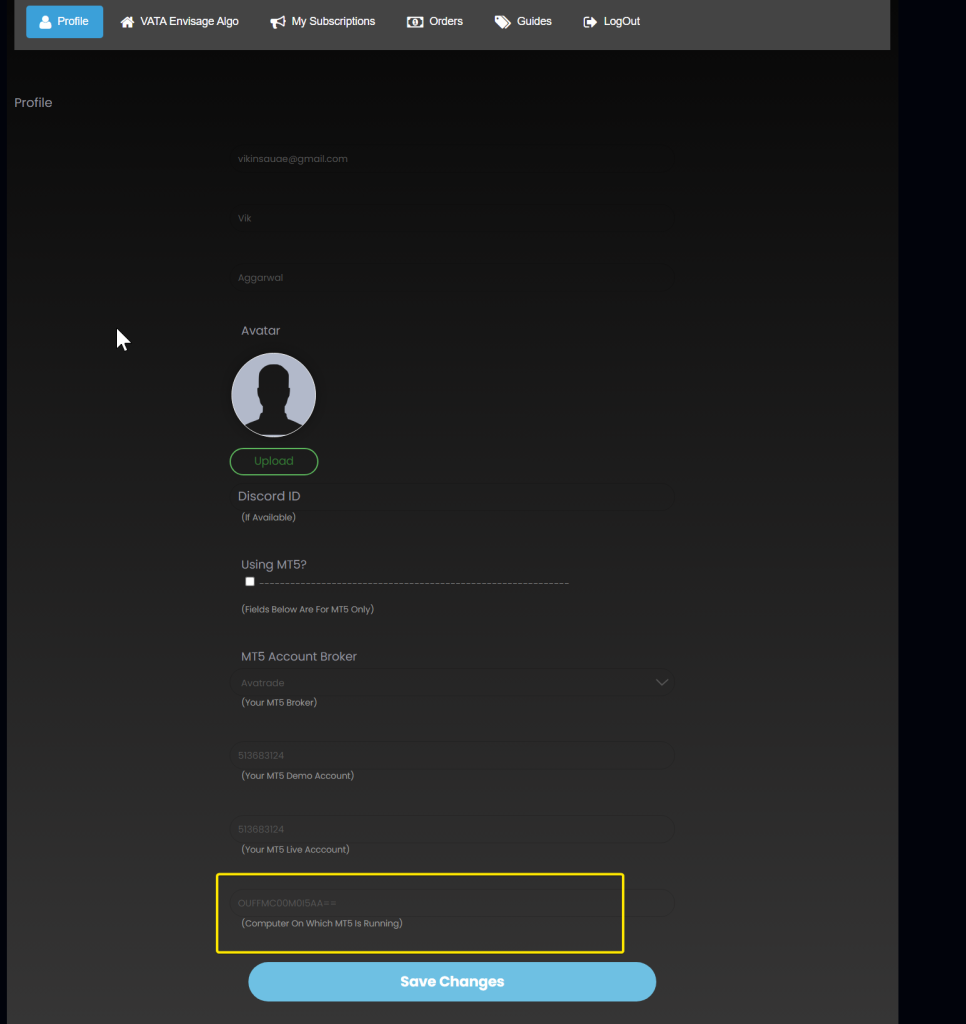
VATA Envisage Algo’s license is restricted to one MT5/MT4 account number and one computer. You can not use the same license across multiple accounts or computers.
If you want to change the account number, you can simply go to My Accounts>Profile and change the account number. Your license will be transferred to the new account in 5 minutes. VATA will start working on the new account and will stop working on the previous one.
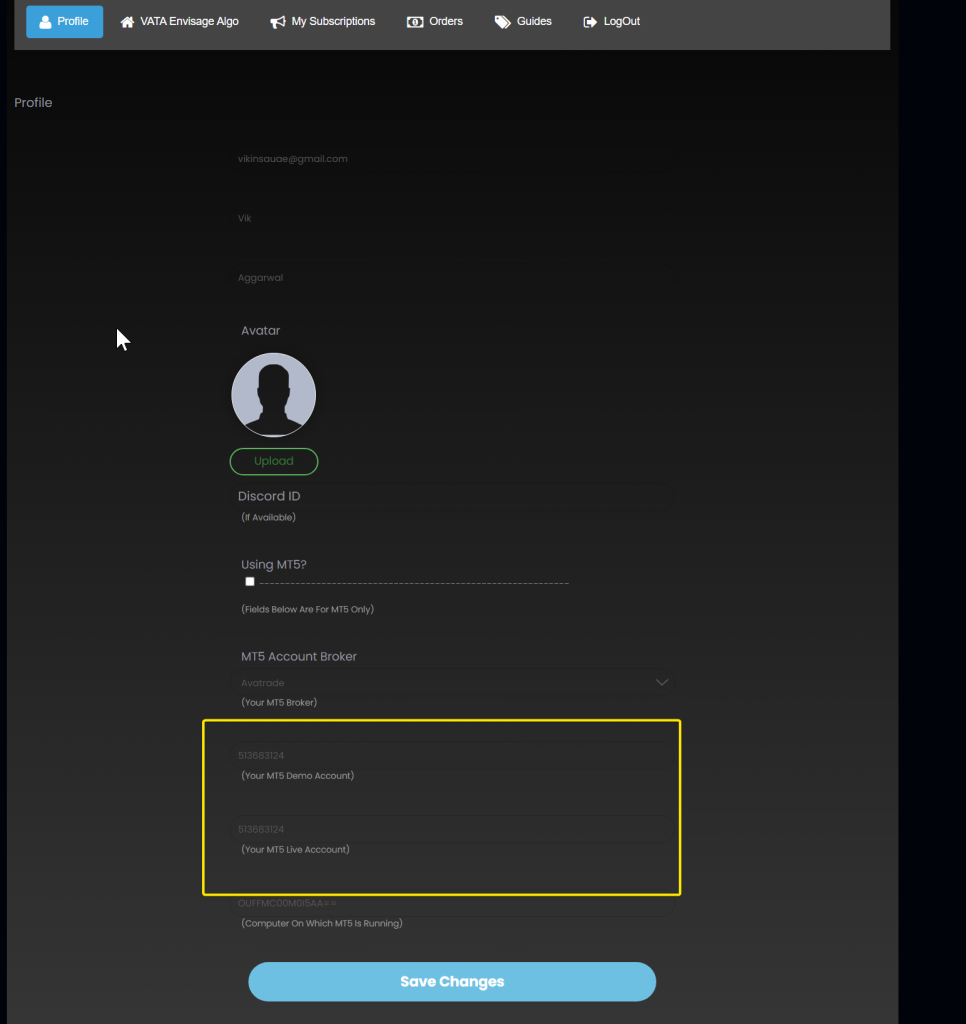
Similarly, if you want to change your computer, you can simply:
- go your new computer,
- open its MT4 or MT5 terminal,
- Drag or install the VATA_Envisage_Identifier indicator one to one of the charts to find the computer id
- Go to My Accounts>Profile and change the computer id there.
- Make sure that you still have the correct MT4 or MT5 account number in your profile matching
- Your license will ported in 5 minutes.
- VATA will stop working on the previous computer and start working on the new one.